
8. 닉네임에 욕 쓰는걸 어떻게 잡을까
2025년 9월 24일
이전 멘토링을 진행하기 전, 닉네임 유효성 검사에 대해 아래와 같이 고민하였습니다.
신규 유저에 대한 닉네임 유효성 검사 로직을 스프린트1에서는 아니지만, 조만간 구현해야 될 것 같습니다. 다른 로직 구현에서는 사실 머리로 구현 방안을 생각해 보았을 때 충분히 가능할 것 같다고 생각하는데, 닉네임 유효성 검사 로직은 약간 고민이 됩니다.
생각해본 방안은
1. 욕설 리스트 수작업 → 약간 욕설이 아닌척하며 욕설인 닉네임 작성은 못거를 것 같습니다.
2. OpenApi로 닉네임에 유효성 검사 대행 → 아무리 생각해도 현업에서 닉네임 검사하는데 이런 방식은 사용하지 않을 것 같습니다.
3. 정확히는 못찾았지만 아마 누군가는 이런 유효성 검사 시스템을 만들어서 올려놨을 것 같습니다. 신뢰도가 있는지는 별개의 문제 같긴합니다..
혹시 이러한 욕설 검열은 보통 어떤 방식을 사용하는지, 사소한 궁금증이 있습니다. 각 방식들에 장단점은 어느정도 인지가 되는 것 같으면서도 사실 정확하게 각 방식에 어떤 장단점이 있는지는 판단하기 어려워 구체적으로 질문을 드리지 못해 죄송합니다.
멘토님의 답변은 아래와 같았습니다.
- 직접 유효성 검사 로직을 만드는 것도 의미는 있겠지만, 시간이 많이 부족할 것이라고 생각됨. 아래와 같이 이미 나와있는 비속어 필터링 npm 패키지를 이용해보는 것이 좋을 것 같아요. (또는 지금 상황에 맞는 다른 패키지들을 서치해보는 것이 좋을 듯)
물론 직접 유효성 검사 로직을 만드는 것 자체는, 그렇게 크게 어려워 보이지 않고 단순하게 포홤되었을 때 잡아낼 욕설 데이터를 손수 작성하면 포함 비포함 여부로 걸러내기만 하면 될 것 같다고 생각했고, 지금도 그런 생각입니다.
다만, 욕설 데이터를 손수 작성하는 것에 큰 비중이 드는 것을 굳이 작업할 필요가 있을까? 생각이 듭니다. 즉 오만일 수 있겠지만 시중 라이브러리를 쓰지 않고 직접 욕설 검사 로직을 만드는 것에서 얻는 이점(실력, 경험, 등..)이 크지 않다고 판단하였습니다.
이에 기존 라이브러리를 적용하는 것으로 결정을 내리고 구현을 시작했습니다.
feature/BadWords
1. 패키지 설치
npm install badwords-ko
한국어 욕설 필터링을 위한 npm 패키지를 설치합니다. 기본적으로 현재는 한글 닉네임 사용으로 기획에서 제한된 상황이기 때문입니다.
해당 패키지는 ES2016+ 환경에서 동작한다고 되어있고, 충분히 사용 가능합니다.
2. 타입 선언
npm badwords-ko 패키지 파일을 뜯어보니, 필터 클래스가 다음과 같이 구현되어 있었습니다.
// const badWords = require("./badwords.ko.config").badWords;
const { badWords } = require("./badwords.ko.config");

class Filter {
  /**
   * Filter constructor.
   * @constructor
   * @param {object} options - Filter instance options
   * @param {boolean} options.emptyList - Instantiate filter with no blacklist
   * @param {array} options.list - Instantiate filter with custom list
   * @param {string} options.placeHolder - Character used to replace profane words.
   * @param {string} options.regex - Regular expression used to sanitize words before comparing them to blacklist.
   * @param {string} options.replaceRegex - Regular expression used to replace profane words with placeHolder.
   * @param {string} options.splitRegex - Regular expression used to split a string into words.
   */
  constructor(options = {}) {
    this.options = {
      list: options.emptyList ? [] : [...badWords, ...(options.list || [])],
      exclude: options.exclude || [],
      splitRegex: options.splitRegex || /\s/,
      placeHolder: options.placeHolder || "*",
      regex: options.regex || /[^a-zA-Z0-9|$|@]|^/g,
      replaceRegex: options.replaceRegex || /\w/g,
    };
  }

  /**
   * Determine if a string contains profane language.
   * @param {string} string - String to evaluate for profanity.
   */
  isProfane(string) {
    const { exclude, list } = this.options;

    return list.some((word) => {
      const wordExp = new RegExp(word.trim(), "g");
      return !exclude.includes(word) && wordExp.test(string);
    });
  }

  /**
   * Replace a word with placeHolder characters;
   * @param {string} string - String to replace.
   */
  replaceWord(string) {
    const { regex, replaceRegex, placeHolder } = this.options;

    return string
      .replace(regex, placeHolder)
      .replace(replaceRegex, placeHolder);
  }

  /**
   * Evaluate a string for profanity and return an edited version.
   * @param {string} string - Sentence to filter.
   */
  clean(string) {
    const { splitRegex } = this.options;

    return string
      .split(splitRegex)
      .map((word) => (this.isProfane(word) ? this.replaceWord(word) : word))
      .join(" ");
  }

  /**
   * Add word(s) to blacklist filter / remove words from whitelist filter
   * @param {...string} word - Word(s) to add to blacklist
   */
  addWords(...wordsToAdd) {
    const { list, exclude } = this.options;

    list.push(...wordsToAdd);
    wordsToAdd.forEach((word) => {
      const index = exclude.indexOf(word);
      if (index !== -1) {
        exclude.splice(index, 1);
      }
    });
  }

  /**
   * Add words to whitelist filter
   * @param {...string} word - Word(s) to add to whitelist.
   */
  removeWords(...wordsToRemove) {
    const { exclude } = this.options;

    exclude.push(...wordsToRemove.map((word) => word.toLowerCase()));
  }
}

module.exports = Filter;
사용법또한 필터 객체를 import 하여 사용하기에, 이 클래스 형식에 맞춰 타입을 설정하려고 합니다.
코드를 쭉 보면, 존재하는 메서드는 constructor, isProfane, replaceWord, clean, addWords, removeWords가 있습니다.
다만 제가 구현하고자 하는 시스템은, 욕설을 쓰면 *로 필터링되는 것이 아니라, 닉네임 설정 페이지에서 네임 input에 욕설이 감지되면 밑에 작게 빨간줄로 유효하지 않은 이름입니다 라는 경고가 뜨고 “다음”벝“다음”버튼이 비활성화 되어야 합니다.
이 시스템을 고려한다면, replaceWord는 굳이 필요하지 않을 것 같습니다. 이에 타입파일을 다음과 같이 작성하였습니다.
declare module 'badwords-ko' {
  export default class Filter {
    constructor();
    isProfane(text: string): boolean;
    clean(text: string): string;
    addWords(...words: string[]): void;
    removeWords(...words: string[]): void;
  }
}
간단하게 설명하면, isProfane으로 욕설 감지 여부를 확인할 수 있습니다. isProfane을 통해 이후 로직을 구현하면 될 것 같습니다.
3. NameInput 컴포넌트에 로직 추가
먼저 NameInputProps에 onValidationChange값을 추가합니다.
이는 콜백함수로, 부모컴포넌트로 유효성 검사 결과를 전달할 것입니다.
그리고 NameInput을 다음과 같이 useEffect를 추가하였습니다.
useEffect(() => {
    const filter = new Filter();

    if (value.trim() === '') {
      setIsValid(false);
      onValidationChange?.(false);
      return;
    }

    const hasBadWords = filter.isProfane(value);
    const isValidName = !hasBadWords;
    setIsValid(isValidName);
    onValidationChange?.(isValidName);
  }, [value, onValidationChange]);
input 값이 변경 될 때 마다 useEffect가 다시 실행되어, 유효성 검사를 실시하며 검사 통과 여부를 부모 컴포넌트에 전달합니다.
혹여나 해당 로직을 다른 곳에서 재사용을 하게 될 경우에는 useCallback을 사용하거나, 커스텀 훅으로 분리할 수 있을 것 같습니다.
이후 input 컨테이너의 border 등 속성에 isValid 여부로 달라지게 설정합니다.
<ErrorMessageContainer>
        {!isValid && <ErrorMessage>유효하지 않은 이름입니다</ErrorMessage>}
</ErrorMessageContainer>
또한 isValid 여부에 따라 input 밑에 유효하지 않은 이름입니다 라는 빨간 문구를 보여줍니다. 이때, 문구가 생기고 사라짐에 따라 레이아웃 구조가 변경되는것을 막기 위해 컨테이너로 한번 감싸 줍니다.
4. CharacterCreatePage 수정
export const CharacterCreatePage = () => {
  const [name, setName] = useState('');
  const [isNameValid, setIsNameValid] = useState(false); // 초기값 false
  const navigate = useNavigate();

  const handleValidationChange = (isValid: boolean) => {
    setIsNameValid(isValid);
  };

  const isButtonDisabled = !isNameValid;

...

  <NameInput
  value={name}
  onChange={(e) => setName(e.target.value)}
  placeholder="이름을 지어주세요."
  onValidationChange={handleValidationChange}
	/>
...

	<ConfirmButton
  text="다음"
  onClick={handleConfirm}
  disabled={isButtonDisabled}
	/>
handleValidationChange 콜백함수를 만들고, 이를 NameInput의 onValidationChange에 연결합니다.
이는 NameInput에서 유효성검사가 완료될때마다 호출될 것입니다.
그리고 이를 기반으로, 다음 버튼의 disabled 여부도 바뀌게 됩니다.
결과
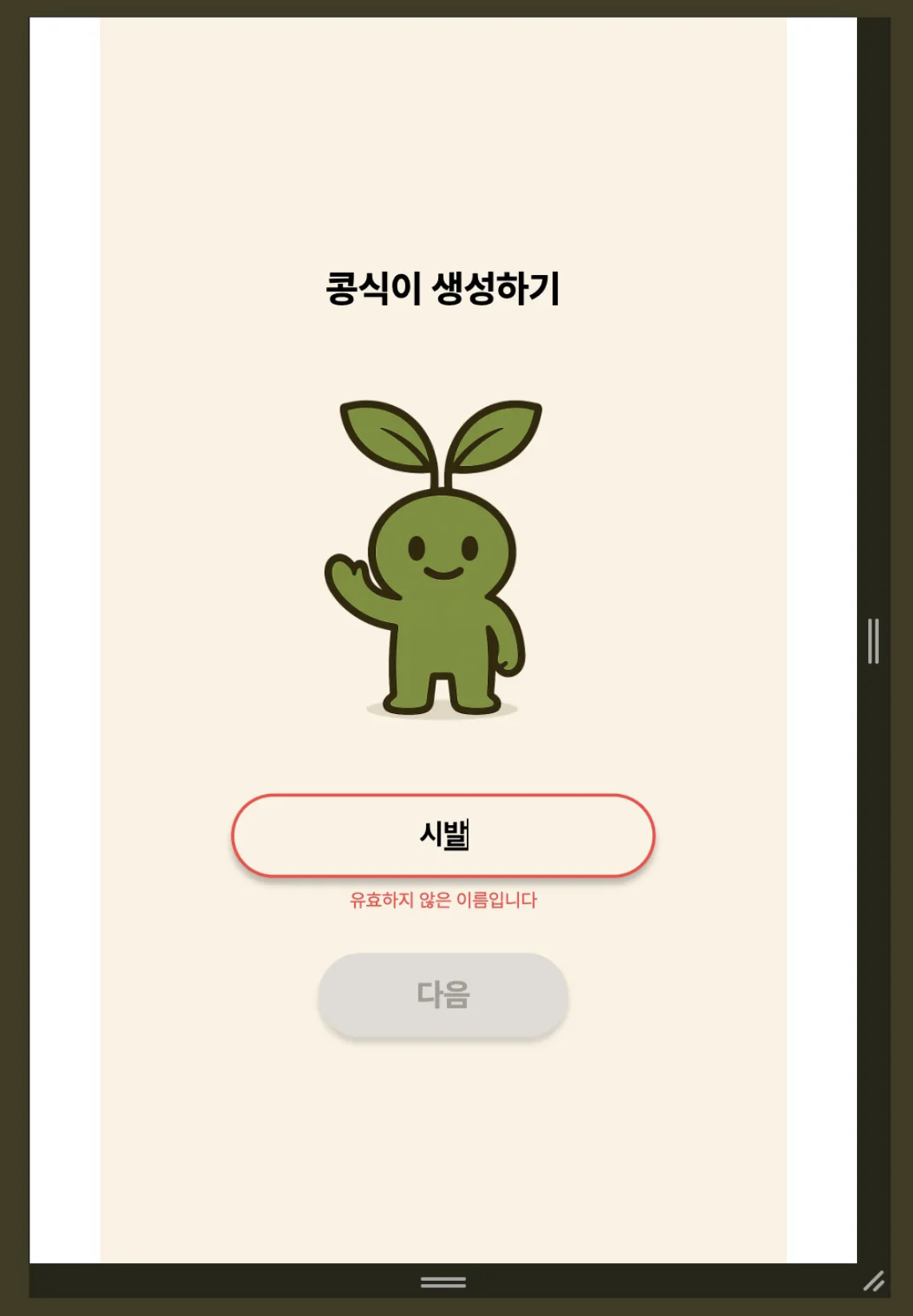

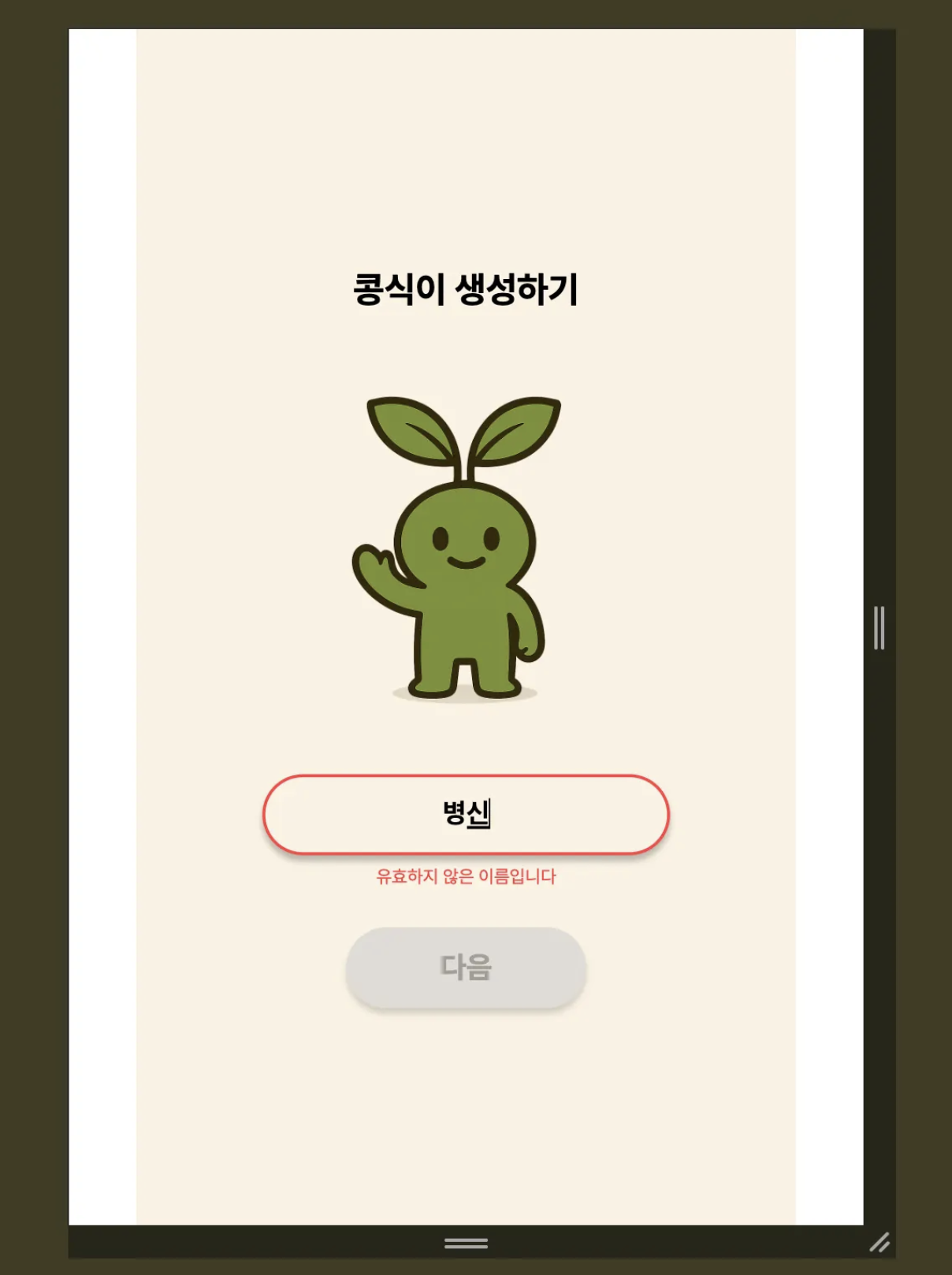
이와 같이, 라이브러리에 설정된 욕설을 필터링 하는 시스템을 구현할 수 있었습니다.
혹시나 자주사용되는 욕설인데 필터링이 안되는 것에는, 라이브러리 메서드 중 add 관련 메서드로 필터링할 욕설 단어를 추가할 수 있을 것 같습니다.