
17. 퀴즈 타입별 데이터 형식이 다른 문제
2025년 10월 10일
이게머니
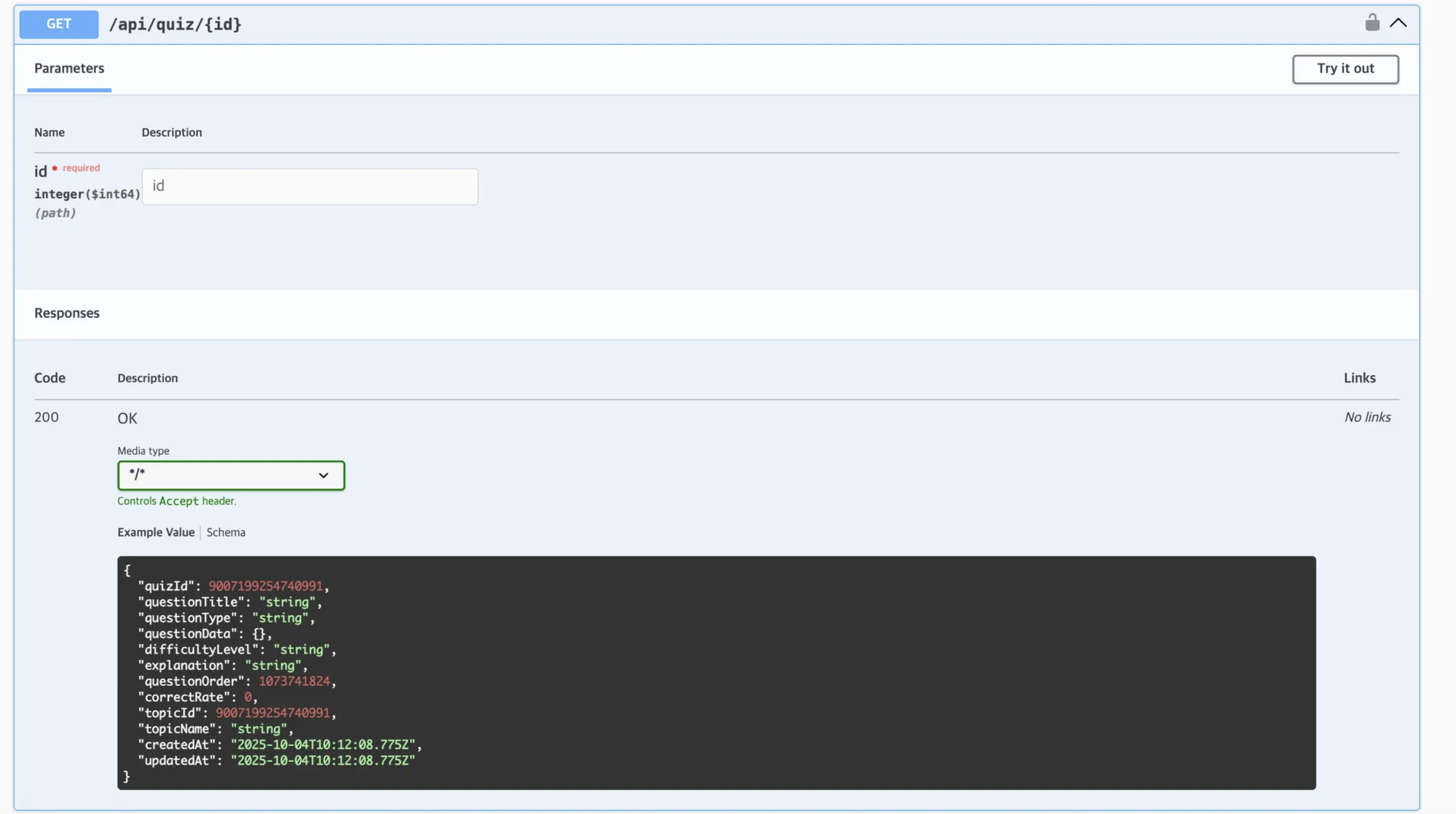
swagger 문서를 보면, questionData가 {} 로 되어있는 것을 볼 수있습니다.
이는 questionType에 따라 questionData 내부의 데이터 형식이 다르기 때문입니다.
그럼 프론트 입장에서, 이 타입에 따른 분기처리가 필요함을 알 수 있었습니다.
일단 먼저, ox와 객관식을 분기처리해야할 필요가 있습니다. (아직 주관식 제공 x)
먼저 타입 정의에서, 분기처리를 진행했습니다.
interface QuizData {
  questionType: 'OX' | 'MULTIPLE_CHOICE' | 'SHORT_ANSWER';
  questionData: {
    // OX 타입일 때
    correctAnswer?: boolean;
    // 객관식 타입일 때
    choices?: {
      choiceId: string;
      text: string;
    }[];
  };
}
이에 맞춰, 컴포넌트 렌더링 시에도 분기처리가 진행되어야 합니다.
renderQuestionData 라는 컴포넌트를 타입에 따라 다른 컴포넌트를 리턴하게 하였습니다.
const renderQuestionContent = () => {
  switch (questionType) {
    case 'OX':
      return (
        <OXButtonContainer>
          <QuestionButton
            text="O"
            isSelected={selectedAnswer === true}
            onClick={() => handleAnswerSelect(true)}
          />
          <QuestionButton
            text="X"
            isSelected={selectedAnswer === false}
            onClick={() => handleAnswerSelect(false)}
          />
        </OXButtonContainer>
      );

    case 'MULTIPLE_CHOICE':
      return (
        <QuestionButtonContainer>
          {questionData.choices?.map((choice) => (
            <QuestionButton
              key={choice.choiceId}
              text={choice.text}
              isSelected={selectedAnswer === choice.choiceId}
              onClick={() => handleAnswerSelect(choice.choiceId)}
            />
          ))}
        </QuestionButtonContainer>
      );

    default:
      return <ErrorMessage>지원하지 않는 문제 유형입니다.</ErrorMessage>;
  }
};
이때, isSelected에 전달하는 선택값 타입도 분기처리 해줘야 합니다.
ox 퀴즈는 기본적으로 true false값을 api가 응답하고, 객관식은 1,2,3 같은 string을 반환합니다.
이 응답한 값은, useState로 상태가 관리되고, 다음 로직 구현 때 이 선택한 답 값을 api로 다시 보내줘야 하기에, 다음 페이지로 이전 방식과 같이 location state로 전달해주게 하였습니다.
  const [selectedAnswer, setSelectedAnswer] = useState<string | boolean | null>(null);

  const {
    data: quizData,
    error,
    isLoading,
  } = useQueryApi<QuizData>(['quiz', quizId || ''], `/quiz/${quizId || ''}`);

  const handleConfirm = () => {
    if (selectedAnswer === null) {
      alert('답을 선택해주세요!');
      return;
    }
    navigate(`/quizResult/${quizId}`, { state: { selectedAnswer } });
  };

  const handleAnswerSelect = (answer: string | boolean) => {
    setSelectedAnswer(answer);
  };
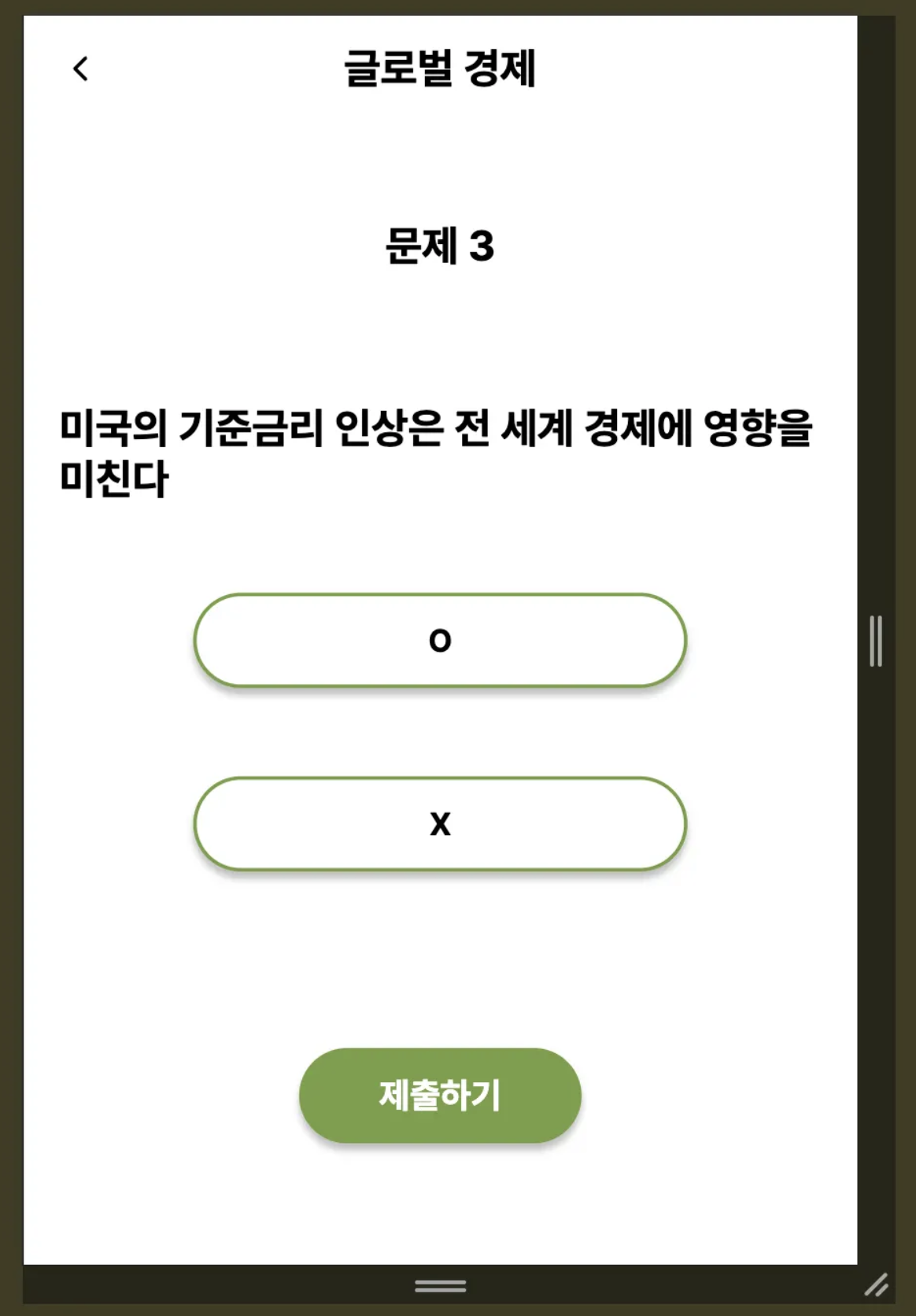
이제 타입 오류 없이 퀴즈 데이터를 잘 받아오게 되었습니다.